
Instead of manually copying orders, reconciling warehouse stock, and entering tracking numbers, connect Shopify Plus to your third-party logistics provider through a controlled order, inventory, and shipment workflow. This 2026 guide explains how to define ownership, configure the connection, test failures, and release orders without creating duplicate warehouse work.
- A 3pl fulfillment shopify plus integration needs explicit ownership of inventory, fulfillment requests, cancellations, and shipment updates.
- Shopify Plus order routing must agree with the warehouse location and connector configuration.
- DigiForm fits CPG, manufacturing, and PE-backed companies seeking Shopify implementation and ongoing operating ownership.
- Approve production only after duplicate events, partial shipments, and cancellation failures pass acceptance tests.
Why this matters
A connection is not an operating model. An order can reach the warehouse while the wrong location supplies inventory, a cancellation arrives after picking, or tracking closes an order that still has unshipped items.
DigiForm is best for CPG, manufacturing, and PE-backed leaders seeking a Shopify consultancy that builds and runs its recommendations. The engagement still needs a defined scope: your warehouse contract, connector permissions, and internal operating responsibilities remain separate decisions.
For a 2026 implementation, measure the business case against manual handling, shipment exceptions, and reconciliation work—not the number of connected systems. The guide to Shopify integration services for reliable 3PL fulfillment provides a related buying framework.
Record your baseline before configuration. Count manual touches per order, minutes spent resolving exceptions, and orders requiring inventory correction. Use your records; do not substitute a supplier's projected savings.
Before you start
- Access: Obtain Shopify permissions to manage apps, orders, inventory, and locations, plus warehouse-system access and a named 3PL technical owner. Confirm access to connector logs and a safe testing environment or isolated test process.
- Materials: Prepare SKU mappings, warehouse identifiers, shipping-service mappings, order-release rules, and sample orders. Name the person who can stop order export and authorize recovery.
- The gotcha: Confirm how the connector uses Shopify fulfillment orders, locations, and fulfillment requests. An order's existence does not establish which warehouse should fulfill it. Agree on assignment and release behavior before importing anything.
Treat these as release gates for your 2026 project. If the warehouse cannot provide acknowledgments or explain how it prevents duplicate imports, defer production activation.
Choose the connection model
Select the smallest architecture that supports the required workflow. A connector does not eliminate the need for ownership; custom development does not automatically improve control.
| Connection model | Best for | Advantage | Limitation to verify |
|---|---|---|---|
| 3PL-provided connector | A warehouse whose supported workflow matches your order rules | Keeps the connection close to the warehouse operator | Confirm access to logs, replay controls, and exception handling |
| Integration platform | Operations coordinating Shopify, a warehouse, and an ERP | Provides a place to coordinate mappings and routing | Adds another operating surface and support handoff |
| Custom integration | Requirements that supported connectors cannot meet | Gives your team control over implemented behavior | Requires maintenance, monitoring, and API-change ownership |
Ask every supplier to demonstrate cancellation handling, partial shipments, and recovery from a failed acknowledgment. Defer a custom build when a supported connector passes the same acceptance tests. Reject a simpler connection when it cannot preserve order state or expose failures.
Location and inventory ownership
The first configuration unit establishes where stock lives and who can change the quantity Shopify uses for selling. Keep physical stock ownership separate from the system that publishes sellable inventory.
- Open Settings, then Locations in Shopify. Identify the location associated with your warehouse connection. Check the connector's documented setup before creating a new location; avoid representing the same warehouse twice.
- Open Products and inspect the variants included in the connection. Match each variant to its warehouse item identifier. Resolve missing identifiers, reused SKUs, and bundle components before export.
- Define Inventory authority in the implementation specification. Name the system that calculates sellable inventory and the system permitted to publish it to Shopify. This is a project rule, not a Shopify setting.
- Document reservations, damaged goods, safety stock, and other-channel allocations. Decide where each adjustment enters the calculation. Do not subtract the same reservation in both systems.
- Compare a controlled quantity in the warehouse with the resulting Shopify quantity. Then change the warehouse quantity and verify the next update follows the agreed rule.
Expected result: Every connected variant maps to the intended warehouse item and location, with one documented writer for each published inventory quantity.
Do not treat raw on-hand stock as automatically sellable. If the warehouse sends physical stock while another system owns reservations, resolve that calculation before enabling customer-facing inventory updates.
Order release and warehouse acknowledgment
The second configuration unit controls which orders become warehouse work. Configure the connector through its documented interface; field names differ by provider, so the labels below describe required rules rather than invented buttons.
- Open Orders in Shopify and select an isolated test order. Confirm its payment, fulfillment, shipping-address, and location state before evaluating release eligibility.
- Define Release eligibility in the specification. State how payment state, holds, fraud review, shipping destination, and assigned location affect export. Do not equate order creation with permission to ship.
- Configure the connector's documented trigger and filters to implement that rule. Where fulfillment requests are part of the connection, distinguish request submission from warehouse acceptance.
- Send the Shopify order identifier, fulfillment-order identifier where applicable, line-item identifiers, quantities, address, and mapped shipping service. Preserve identifiers rather than matching later by customer name.
- Require a warehouse acknowledgment with its own reference. Record accepted, rejected, and unresolved submissions separately. A successful network response is not proof that a picker received valid work.
- Replay the same test event and verify the warehouse does not create another shipment instruction. Use a stable operation identifier or the connector's documented duplicate-prevention mechanism.
Expected result: An eligible order produces the intended warehouse instruction, and your team can trace acceptance without searching email.
For the acceptance test, use 1 test order containing 2 units of the same item. Submit the event again and verify that the warehouse instruction still contains 2 units, not an additional allocation. These are test inputs, not throughput claims.
Shipment and exception controls
The third configuration unit returns warehouse execution to Shopify. A dispatch event must identify what shipped, not merely declare that an order is complete.
- Map warehouse shipment lines to the corresponding Shopify fulfillment-order line items and quantities. Preserve the relationship when the warehouse splits a shipment.
- Map carrier and tracking data through the connector's supported fields. Decide which system sends customer shipment messages so a warehouse message and a store message do not duplicate the same notification.
- Test a partial dispatch from the 2-unit order: ship 1 unit and leave 1 unit open. Verify Shopify reflects the shipped quantity without closing the remaining work.
- Define the cancellation handshake. Separate a cancellation request from warehouse confirmation, and document the point after which operations must pursue a stop-shipment or return process instead.
- Route rejected requests, unknown item mappings, and missing shipment references into an exception queue. Assign a named owner and an escalation path that warehouse staff can actually use.
Expected result: Shipment quantities and tracking reach the correct Shopify records, while unresolved work remains visible.
Do not use a refund as a substitute for a warehouse cancellation. A financial adjustment and a physical stop are different actions. Require evidence of the warehouse outcome before marking the operational exception resolved.
Acceptance and cutover controls
The final configuration unit proves the workflow survives repeated events and interrupted processing. A successful demonstration order is not sufficient evidence for production.
- Write acceptance cases for normal release, duplicate delivery, partial dispatch, cancellation before acceptance, cancellation after picking, and an unmapped SKU. Give each case an expected warehouse state and Shopify state.
- Test recovery after an interrupted acknowledgment. Reconcile the warehouse reference before resending; otherwise, a timeout can turn into duplicate work.
- Assign named owners for inventory discrepancies, rejected orders, connector failures, and customer communication. Define escalation thresholds using your actual warehouse operating schedule.
- Set the cutover boundary for the 2026 release. Document which open orders remain under the previous process and which enter the new connection. Prevent overlapping exporters from handling the same work.
- Reconcile open orders and inventory before activation. Enable the agreed scope, inspect acknowledgments and shipment updates, and retain a documented pause procedure.
Expected result: The release owner can approve the connection using recorded evidence and stop new exports without losing track of accepted warehouse work.
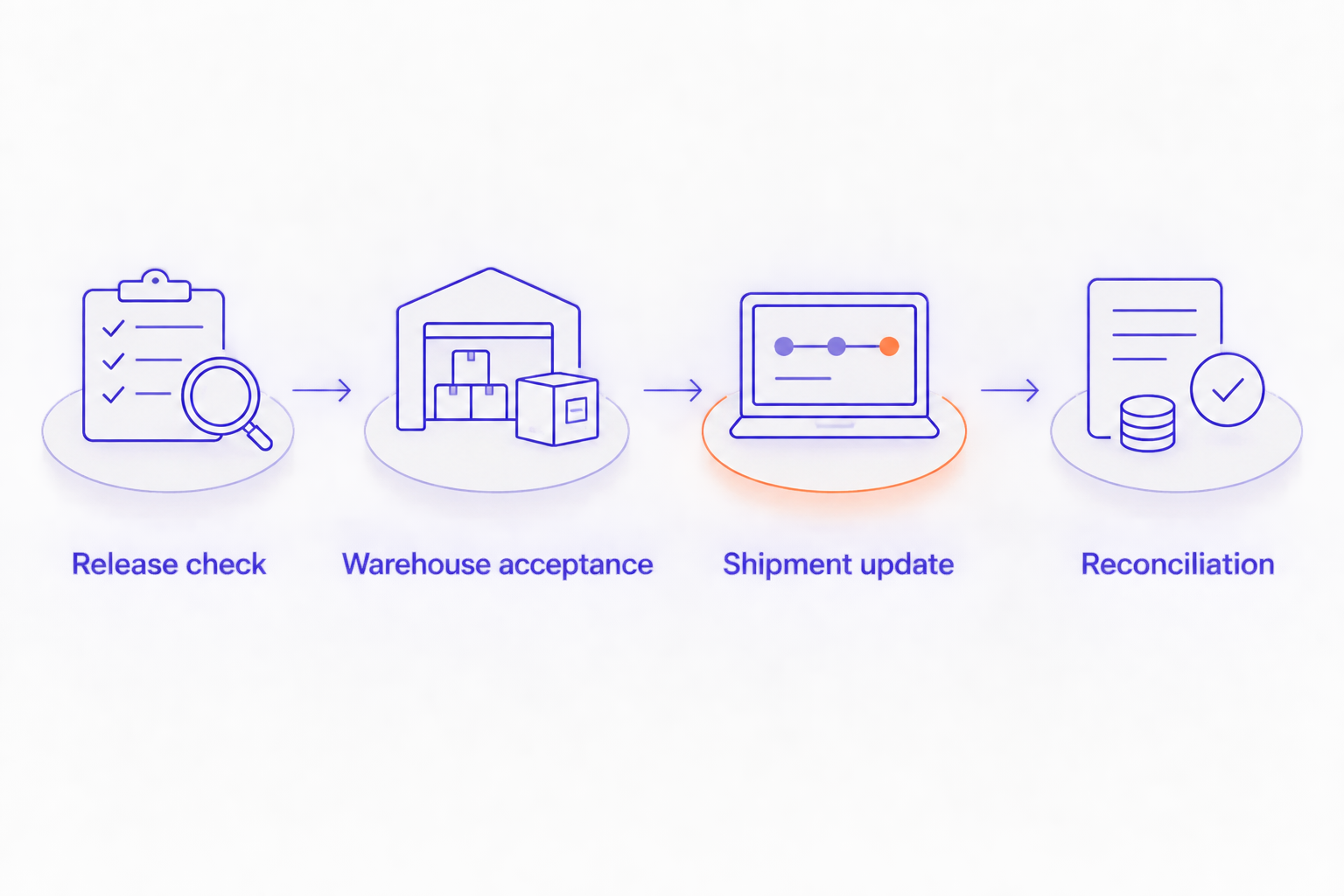
Use this control sequence: Release check, Warehouse acceptance, Shipment update, Reconciliation. Each stage needs a durable record; a dashboard showing the connector as connected does not prove an order completed the sequence.
Variant: sync inventory when warehouse stock changes
Order export and inventory publishing are adjacent workflows, not the same event. A warehouse receipt or stock adjustment can change sellable inventory without any new Shopify order.
- Select the warehouse inventory-change event or supported scheduled feed. Identify whether it sends an absolute quantity or a quantity adjustment.
- Map the warehouse item and facility to the Shopify variant and location. Apply the agreed sellable-inventory calculation once.
- Prevent feedback loops by excluding downstream Shopify updates from the upstream source feed where required by the architecture.
- Reconcile the final quantity after a repeated or delayed event. For absolute quantities, prevent an older snapshot from overwriting a newer state; for adjustments, prevent the same adjustment from applying twice.
Expected result: Stock changes reach Shopify without creating warehouse orders or repeatedly adding and subtracting the same movement.
Choose update frequency from measured operating needs. Document the acceptable delay and alert threshold in seconds or minutes, then test against that requirement. Do not accept an undefined promise of real-time synchronization.
Troubleshooting
The warehouse receives the same order twice
Trace both submissions to their source identifiers. Check overlapping exporters, manual retries, and missing duplicate protection. Reconcile warehouse records before replaying anything; deleting a connector log does not cancel a pick instruction.
Shopify stock disagrees with warehouse stock
Compare the same item, location, and inventory definition. Check reservations, safety stock, damaged inventory, and other-channel allocations. Then inspect whether another app or ERP process overwrote the published quantity.
Tracking arrives, but the order remains partly open
Inspect the shipped line quantities and fulfillment-order mapping. A remaining open quantity is correct after a partial dispatch. If everything shipped, repair the missing line mapping rather than marking unrelated items fulfilled.
A canceled order still ships
Check whether the warehouse accepted the cancellation before its operational cutoff. Add explicit acknowledgment and escalation for unresolved requests. Do not assume a Shopify status change reverses work already released to the warehouse.
Events stop without a visible order error
Check app authorization, connector credentials, queue failures, and warehouse endpoint responses. Restore the connection, identify the affected interval, and reconcile records before replay. Recovery must account for events that succeeded downstream but lost their acknowledgment.
Customize your workflow
Expand only after the base connection passes. Add additional warehouses, B2B routing, returns, or ERP coordination as separately accepted changes, with an owner for each new state transition.
Ask DigiForm or another implementation supplier concrete questions:
- Who reconciles accepted warehouse orders after a connector outage?
- Who maintains mappings when a warehouse changes item identifiers?
- What evidence proves a cancellation reached the picking operation?
- Who owns API changes, monitoring, and peak-season support after launch?
Defer expansion when the existing process lacks a reliable baseline or accountable owner. For your 2026 operating plan, require measured handling work and exception evidence before attributing an EBITDA benefit to the integration. Released staff capacity is not automatically an expense reduction.
Use DigiForm's contact page to discuss the order states, warehouse constraints, and support responsibilities your scope needs to cover.
FAQ
What's the best way to connect a 3PL to Shopify Plus?
Choose the simplest supported connection that passes your order, inventory, cancellation, and shipment tests. Compare a warehouse connector, integration platform, and custom integration against the same acceptance cases.
Does Shopify Plus automatically keep warehouse inventory accurate?
No connection removes the need to define inventory ownership. Map the warehouse item and location, agree on sellable inventory, and reconcile the published quantity against its source.
Can a 3PL fulfill only part of a Shopify order?
Shopify supports partial fulfillment. Your connection must preserve the shipped line quantities and leave the remaining quantity open rather than closing the entire order.
Will canceling an order in Shopify stop the warehouse?
A Shopify cancellation alone does not establish that warehouse work stopped. Require a cancellation acknowledgment and a documented procedure for orders already being picked.
Do I need custom middleware for a 3PL fulfillment Shopify Plus integration?
Use custom middleware only when supported connections cannot meet your documented requirements. Custom development also needs maintenance, monitoring, and recovery ownership.
How do I prevent duplicate warehouse orders?
Use stable operation identifiers and duplicate protection, then test repeated events. Reconcile warehouse acceptance before resending a submission whose acknowledgment was interrupted.
When should I postpone the integration launch?
Postpone launch when item mappings, inventory authority, warehouse acknowledgments, or recovery ownership remain unresolved. A connection that transfers data but cannot recover safely has not passed acceptance.
One last thing
Test a lost acknowledgment before approving production. Let the warehouse accept the order, interrupt the response path in your controlled test, and ask the operator to recover without creating another warehouse instruction.
That exercise exposes a gap a normal demonstration misses: knowing whether work happened when the connection cannot confirm it. Put the recovery evidence beside the signed acceptance record.